🚀 Quick Start#
Requirements#
The disk space required for pulling all necessary Docker images is:
8.95 GiB for the OpenADStack images without perception modules,
17.7 GiB for the OpenADStack images with perception modules,
4.77 GiB for the OpenADStack demo data (for open-loop testing only),
30.8 GiB for the whole toolchain including OpenADSim with OpenADStack.
While some modules are also built for
arm64architectures (e.g. used in NVIDIA Jetson Orin), the complete toolchain is only supported onamd64.Thanks to consequent containerization, most Linux operating systems supporting Docker should be fine. However, we currently test only on
Ubuntu 24.04.To use OpenADS on remote machines (e.g. via SSH), we recommend using TurboVNC for graphical output.
Current installations of Docker (≥ 29.5.2) and Docker Compose (≥ 5.1.4) are required. Some parts of OpenADS (e.g. using CARLA in OpenADSim and some machine learning-based services) require a current NVIDIA driver (≥ 590) and the NVIDIA Container Toolkit (≥ 1.19.1).
An NVIDIA GPU with at least 12 GB of VRAM and compute capability 8.0 or higher is required.
Make sure your user is added to the
dockergroup to be able to use Docker without root privileges. This can be done withsudo usermod -aG docker $USER, which will be effective after a new login.As some services (e.g. monitoring and simulation) may need graphical output, make sure to allow local connections to the X server to enable graphical output from Docker containers, e.g. by executing
xhost +local:in a terminal.The development environment is based on Visual Studio Code with Remote Development Extension Pack.
Important
Please open an issue and describe your setup and problems, if this quick start guide does not work for you.
Running OpenADStack on recorded data#
Clone the OpenADStack repository and start the provided docker composition. This will pull the required Docker images and run the stack on recorded sensor data.
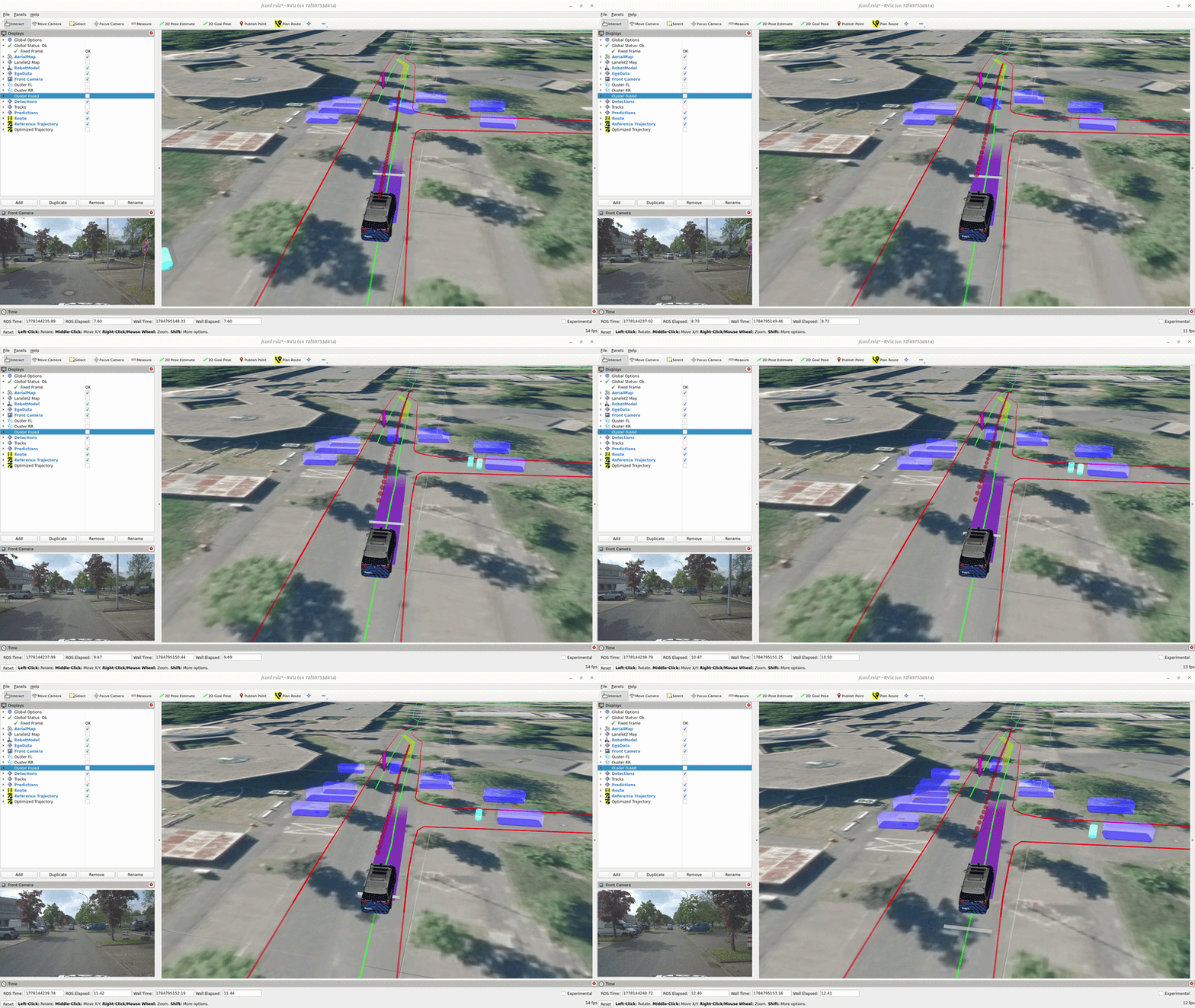
Basic Demo without Perception: Start the open-loop demo using recorded detections:
git clone --recursive https://github.com/openads-project/openadstack.git
cd openadstack/demo
docker compose up -d
Extended Demo: Start the open-loop demo including perception OpenADServices running on recorded raw sensor data:
export COMPOSE_PROFILES=demo-extended && docker compose up -d
Stop the demo with:
docker compose down
Chekout the OpenADStack section for more information.
Running OpenADSim for closed-loop simulation#
Clone the OpenADSim repository and start the provided docker composition. This will pull the required Docker images and run the stack in a CARLA simulation.
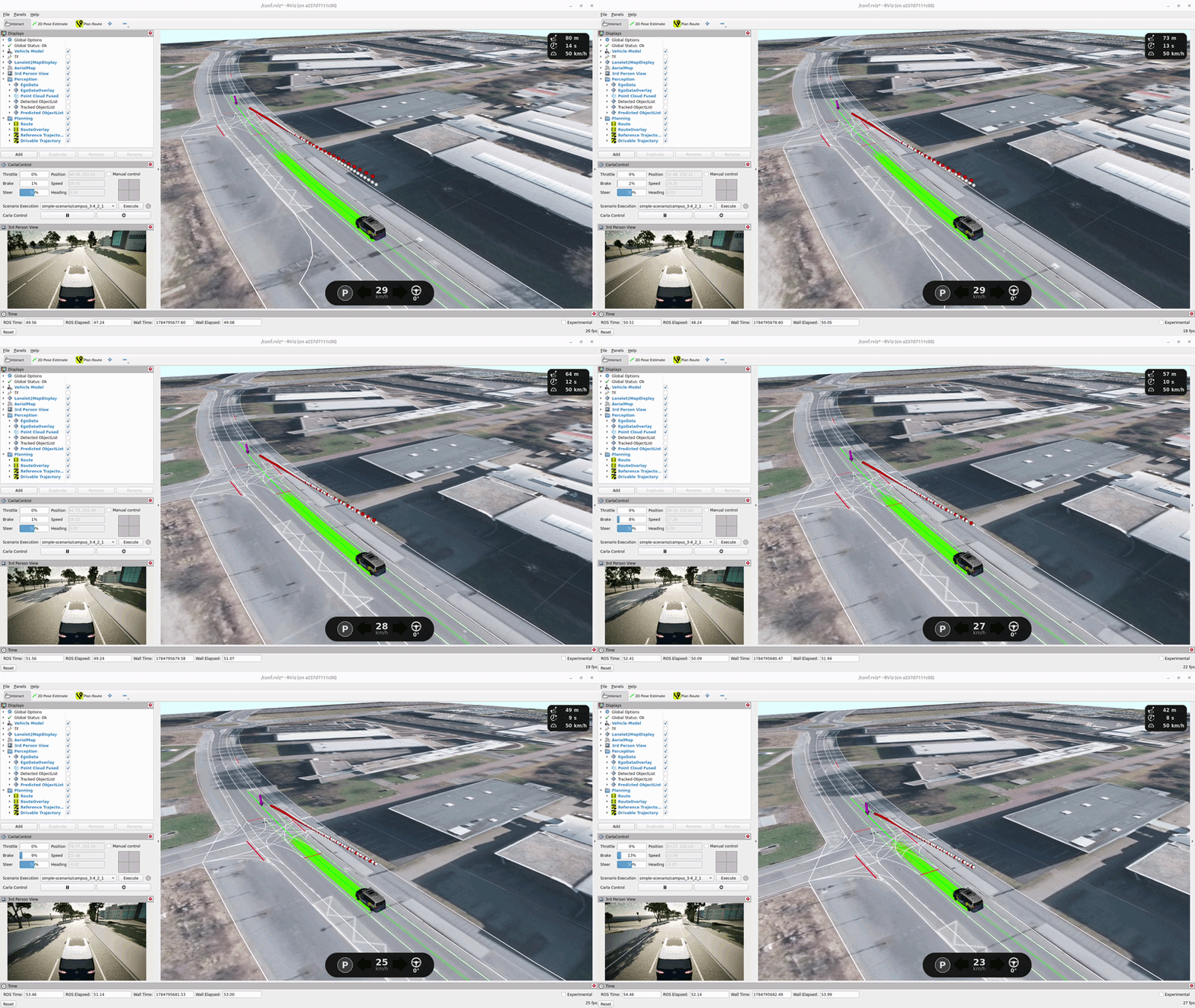
git clone --recursive https://github.com/openads-project/openadsim.git
cd openadsim
docker compose up -d
The execution can be stopped with docker compose down. Checkout the OpenADSim section for more information.